

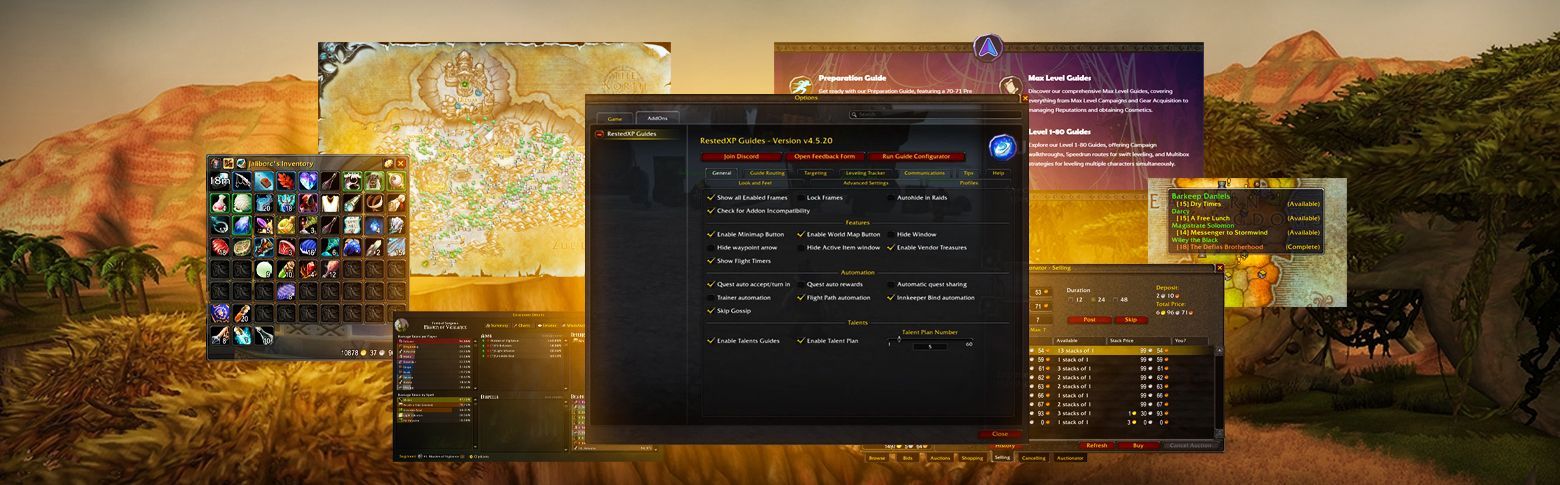
Addons have been a core part of World of Warcraft since its early days: it’s special easy-to-install software that helps players customize and enhance their gameplay.


Let’s start!
Updated November 2026. WoW Forever launched on November 4 with patch 1.60.1, so we added a section on which of these addons already work there.
Rested XP Classic Guide
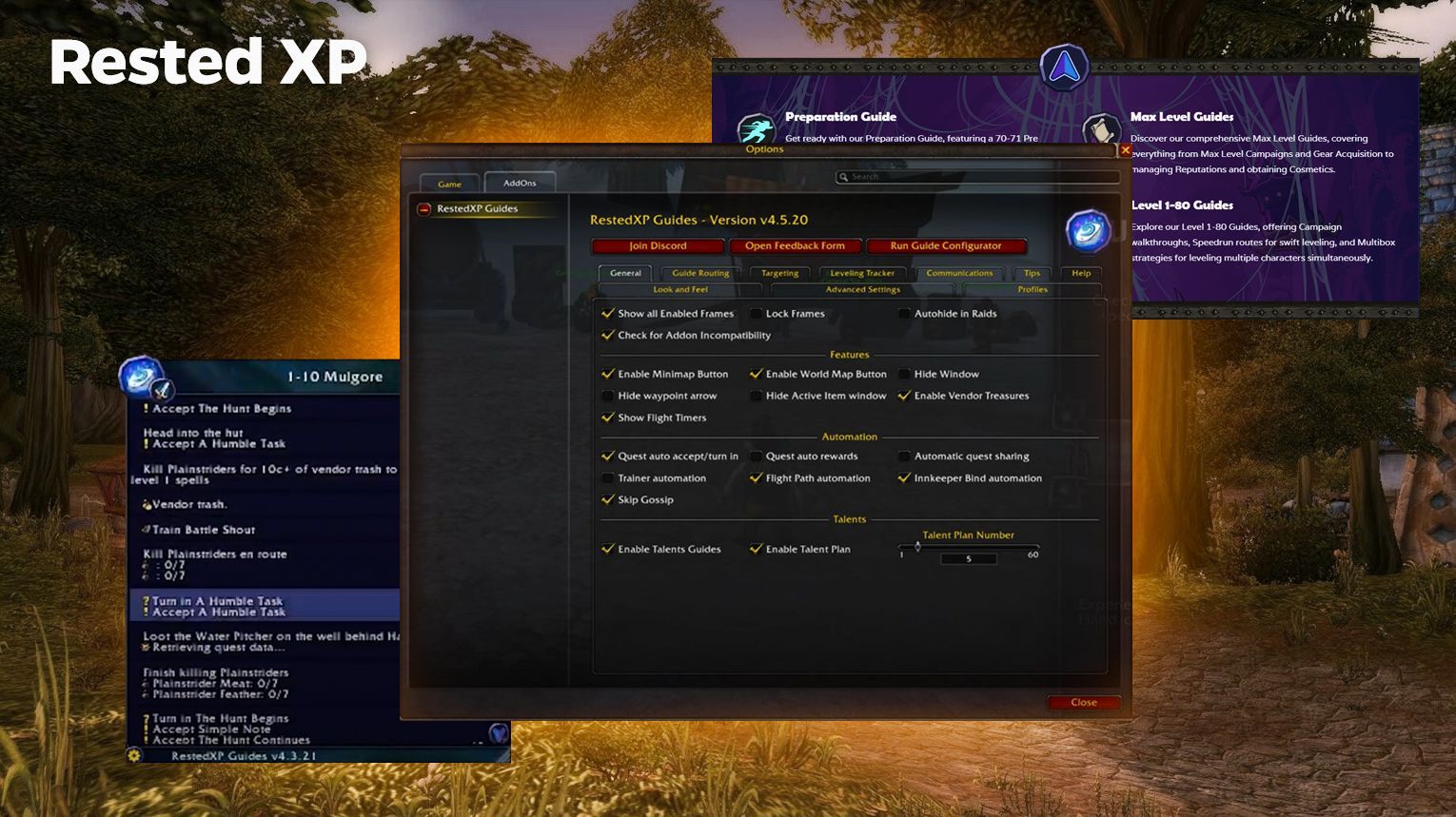
The RestedXP addon is a powerful leveling guide designed specifically for World of Warcraft Classic and other expansions (if needed, you can use it for WoW The War Within too). Created by top speedrunners, this addon helps players optimize their leveling experience by providing step-by-step routes tailored to each class.


Bagnon
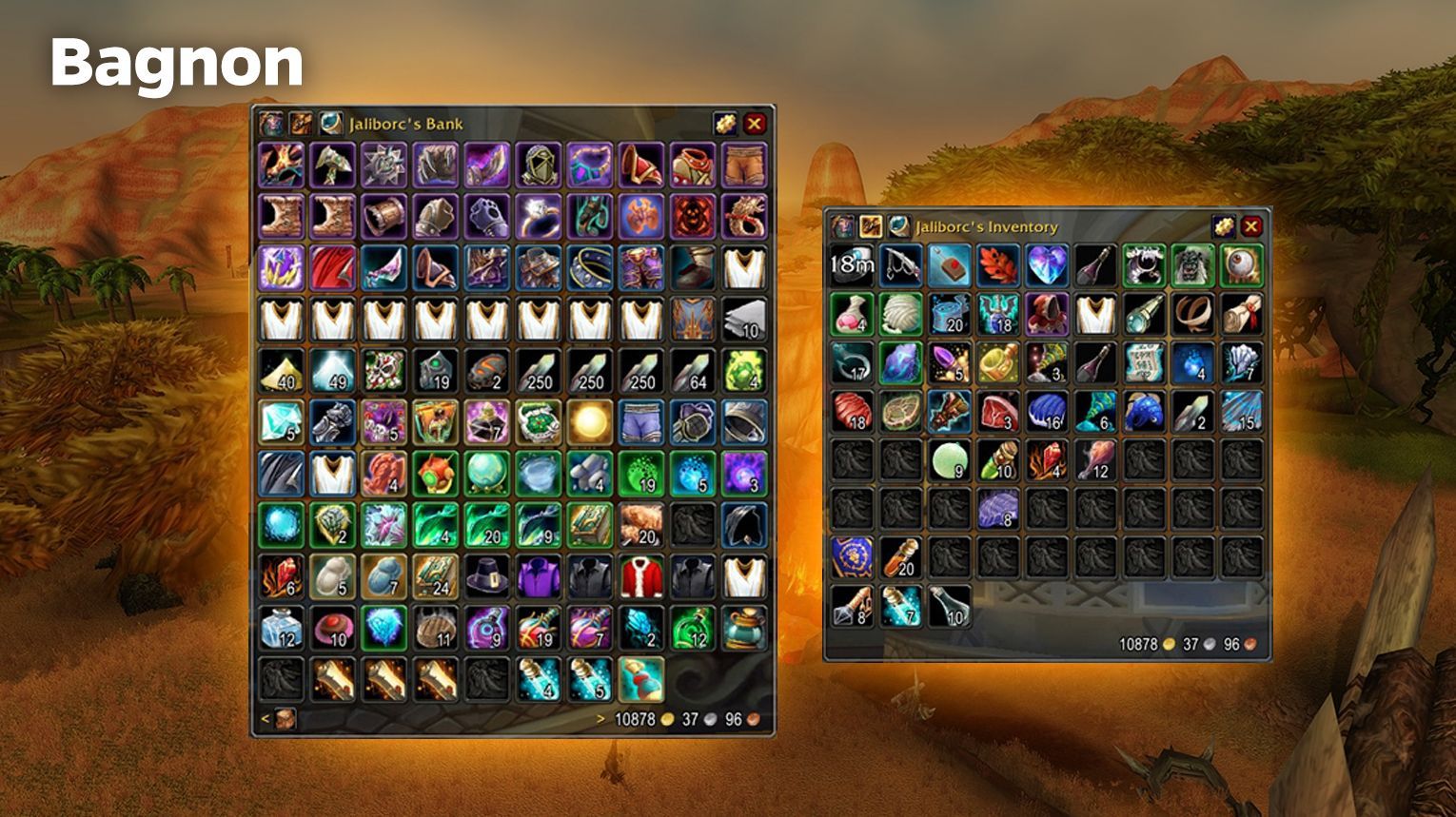
Bagnon is a widely popular World of Warcraft addon that simplifies inventory management. It combines all your bags into a single, organized interface, making it easier to locate items quickly.

- Unified Bag Window: View all your items in one place instead of toggling between multiple bag slots.
- Search Functionality: Quickly locate items with a built-in search engine.
- Item Highlighting: Easily spot important or new items.
- Cross-Character Access: Check inventories, banks, void storage, and guild banks from any character or location.
- Customizable Interface: Adjust the appearance and behavior to fit your playstyle and UI preferences.
- Advanced Features: Includes item sorting, tooltip item counts, DataBroker support, and more.
Leatrix Maps
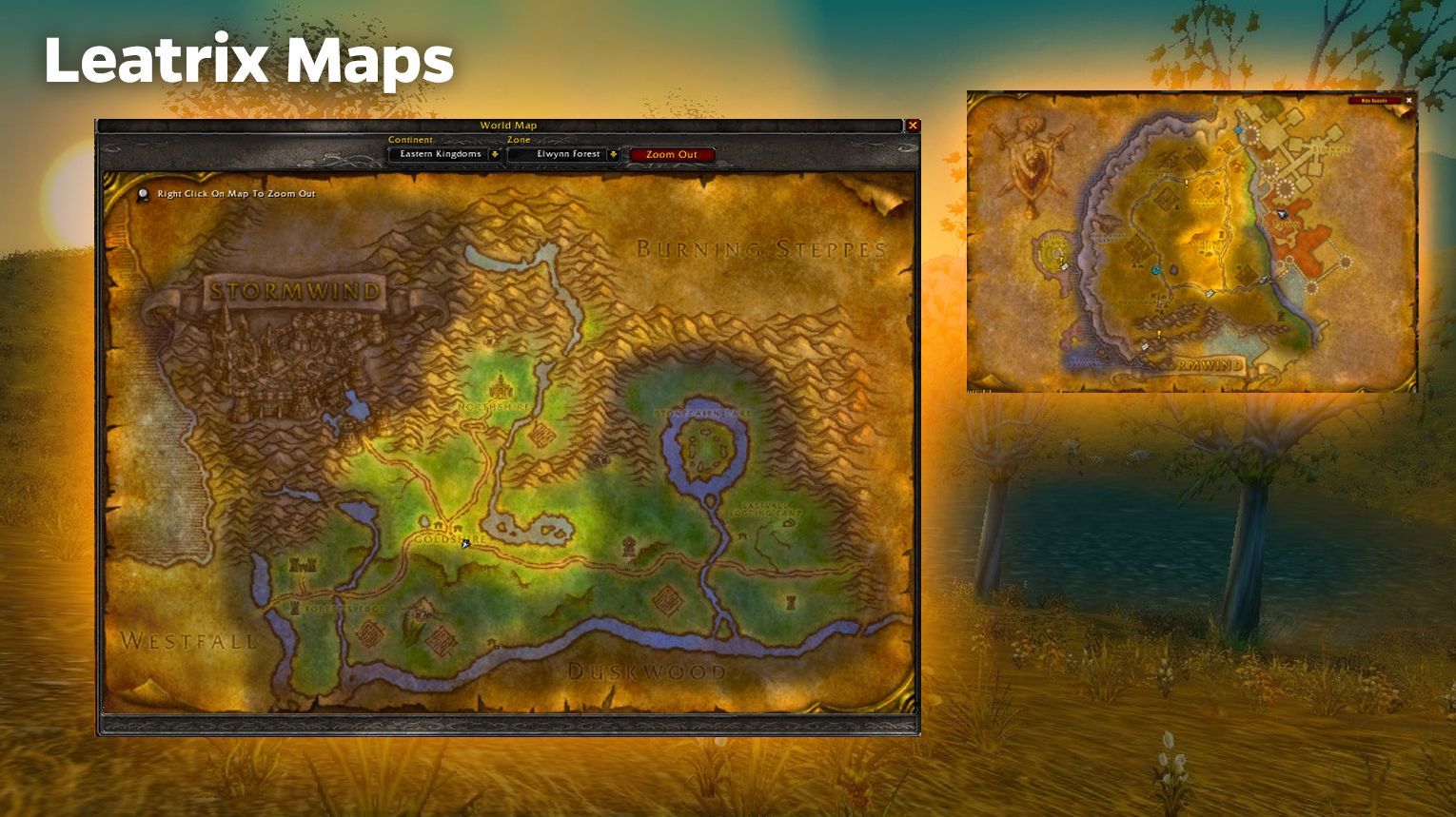
Leatrix Maps is a popular addon for World of Warcraft Classic that enhances your map functionality. It’s especially useful in Vanilla (20th Anniversary, SoD, Hardcore) but works across various game versions. This addon provides several features aimed at improving navigation and exploration, including:
- Unexplored Areas Visibility: See all areas in a zone, even those you haven’t discovered yet.
- Zone-wide Map Display: View the full zone map without restrictions, making navigation easier.
- Customizable Settings: Adjust map transparency, scaling, and other elements to suit your preferences.
Classic Cast Bars
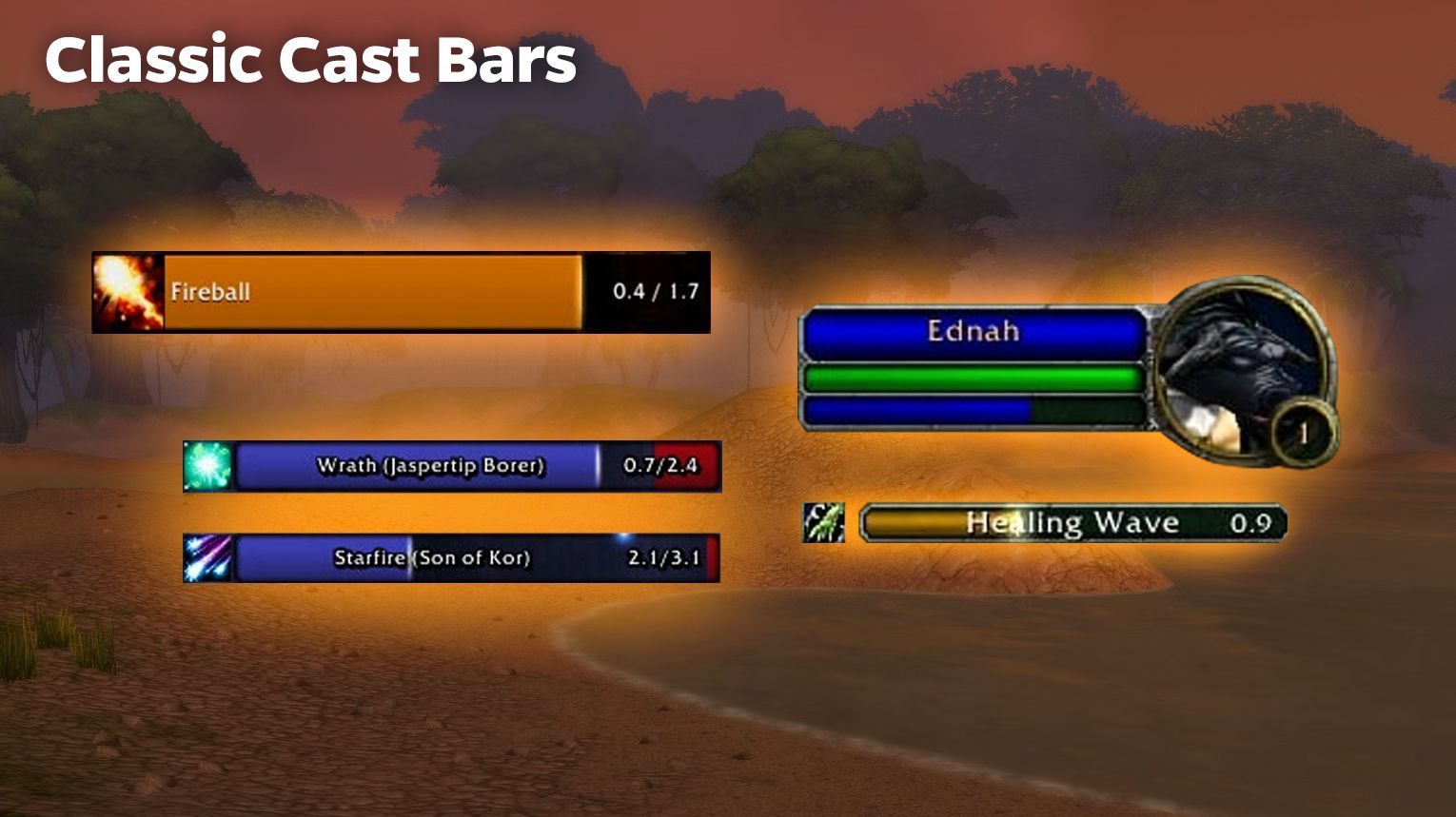
Classic Castbars is a WoW addon designed to provide customizable cast bars for players in both Classic and Retail versions of the game. It enhances the default cast bar system with additional features, making it especially useful for PvP and PvE content.
- Custom Cast Bars: Displays detailed cast bars for your target, party members, and nameplates.
- Interrupt Alerts: Tracks interruptible and uninterruptible casts with visual indicators.
- School Lockout Notifications: Alerts you when certain schools of magic are locked out.
- Channel Tracking: Supports tracking of channel-based abilities.
- Customization Options: Type /castbar in-game to adjust settings, including appearance and behavior.
- In Classic Era 1.15.0 and later, Blizzard has integrated cast bar features into the default interface, so this addon may not be necessary for basic cast bar functionality. However, it remains valuable for players seeking advanced customizations.
Rune Reminder (WoW Classic SoD)
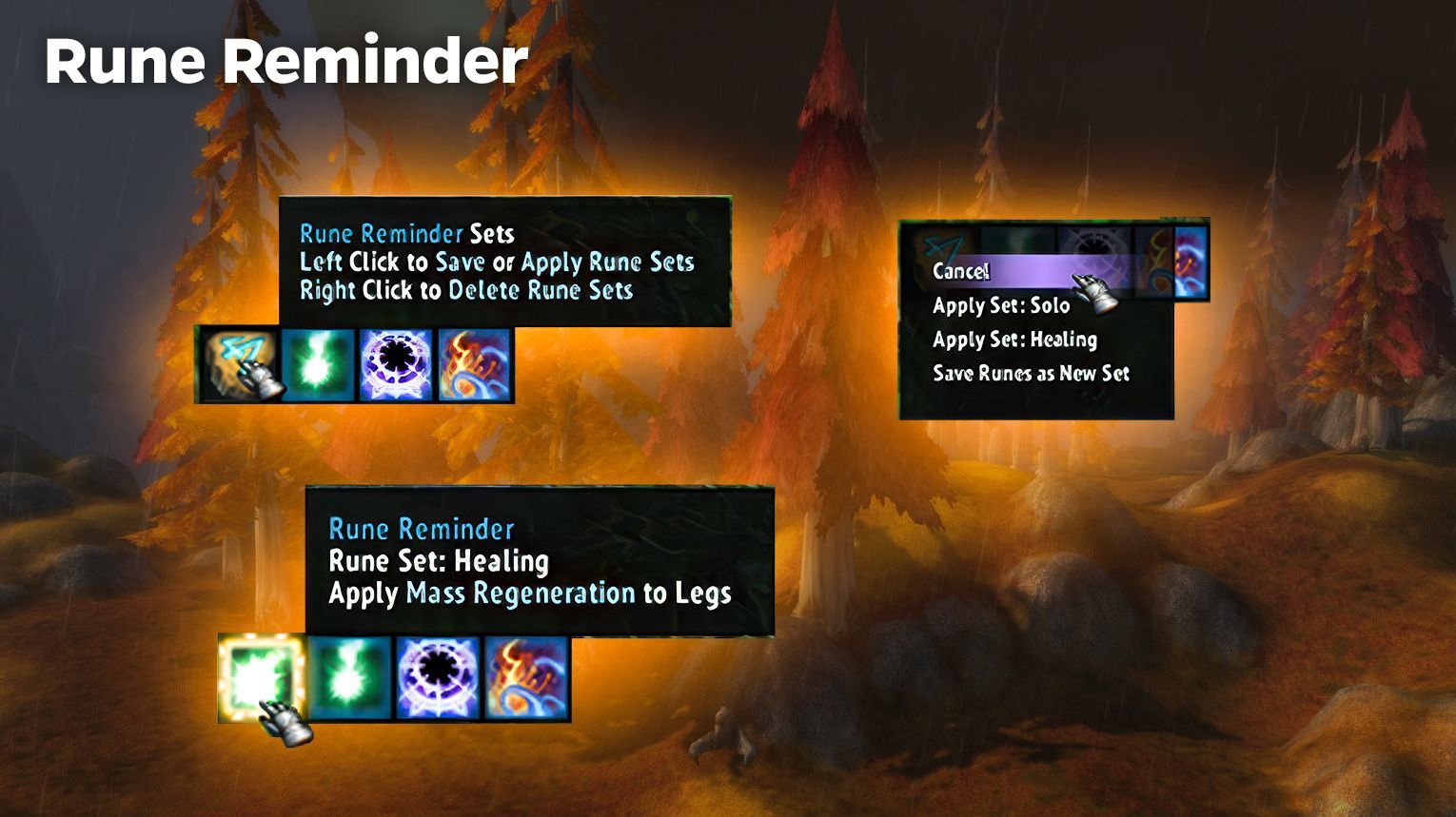
Rune Reminder is a versatile World of Warcraft addon tailored for the Season of Discovery. It streamlines rune management by offering a user-friendly interface and automation features that enhance gameplay.
- Rune Tracking: Displays all learned and engraved runes for easy reference.
- Quick Swap Widget: Allows seamless rune switching without using the character window.
- Rune Sets: Save and load entire rune configurations. This feature auto-queues runes, requiring only one click per rune update.
- Notifications: Alerts you when a rune is removed or changed, with an option for one-click re-application.
- Customizable Display: Adjust widget size, location, and style to fit your UI preferences.
- Additional Features: Includes cooldown timers, Masque skin support, and options for splitting rune displays into rows or columns.
GatherMate2 Classic
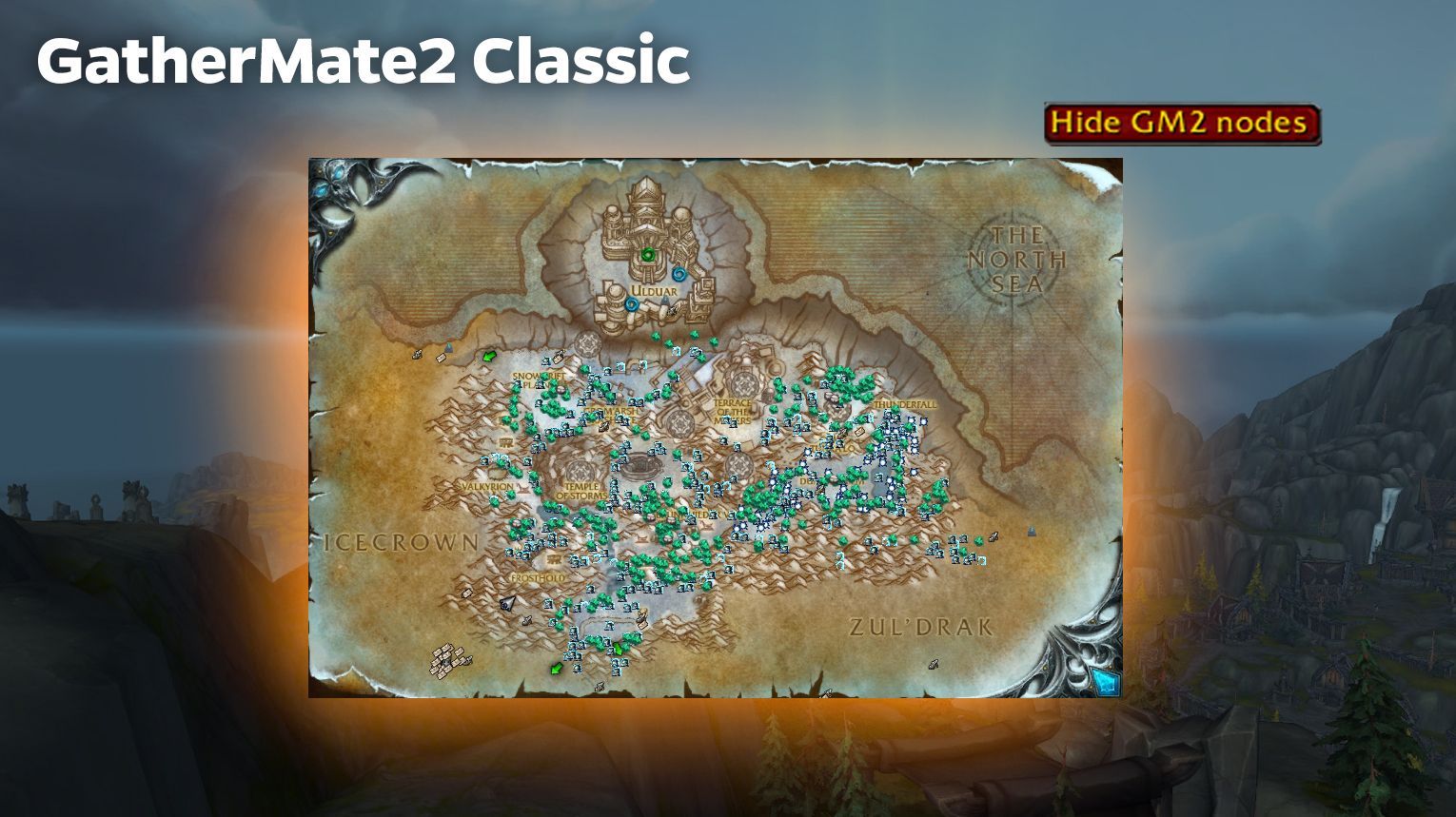
GatherMate2 Classic is a World of Warcraft addon designed to assist players with gathering professions such as Herbalism, Mining, Skinning, and Fishing. It tracks resource nodes, treasures, and other collectibles, displaying their locations on the World Map and Minimap for easy navigation.
- Node Tracking: Automatically records the locations of herbs, ores, fishing pools, treasures, and more as you gather them.
- Map Integration: Displays gathered data on the World Map and Minimap with icons representing the resource type.
- Pre-Filled Data: Includes a pre-filled database via the GatherMate2_Data Wowhead Classic module, allowing you to import known resource locations instantly.
- Range Notifications: Highlights nodes on your Minimap as you come into range, helping you decide whether to investigate.
- Guild Data Sharing: Share gathered node data with guild members using the GatherMate_Sharing feature.
- Supports all gathering professions (Herbalism, Skinning, Mining, Fishing) and additional collectibles like treasures and gas clouds.
- Routes support for optimized gathering paths.
- Easy configuration via the /gathermate command or the in-game interface options.
Rarescanner
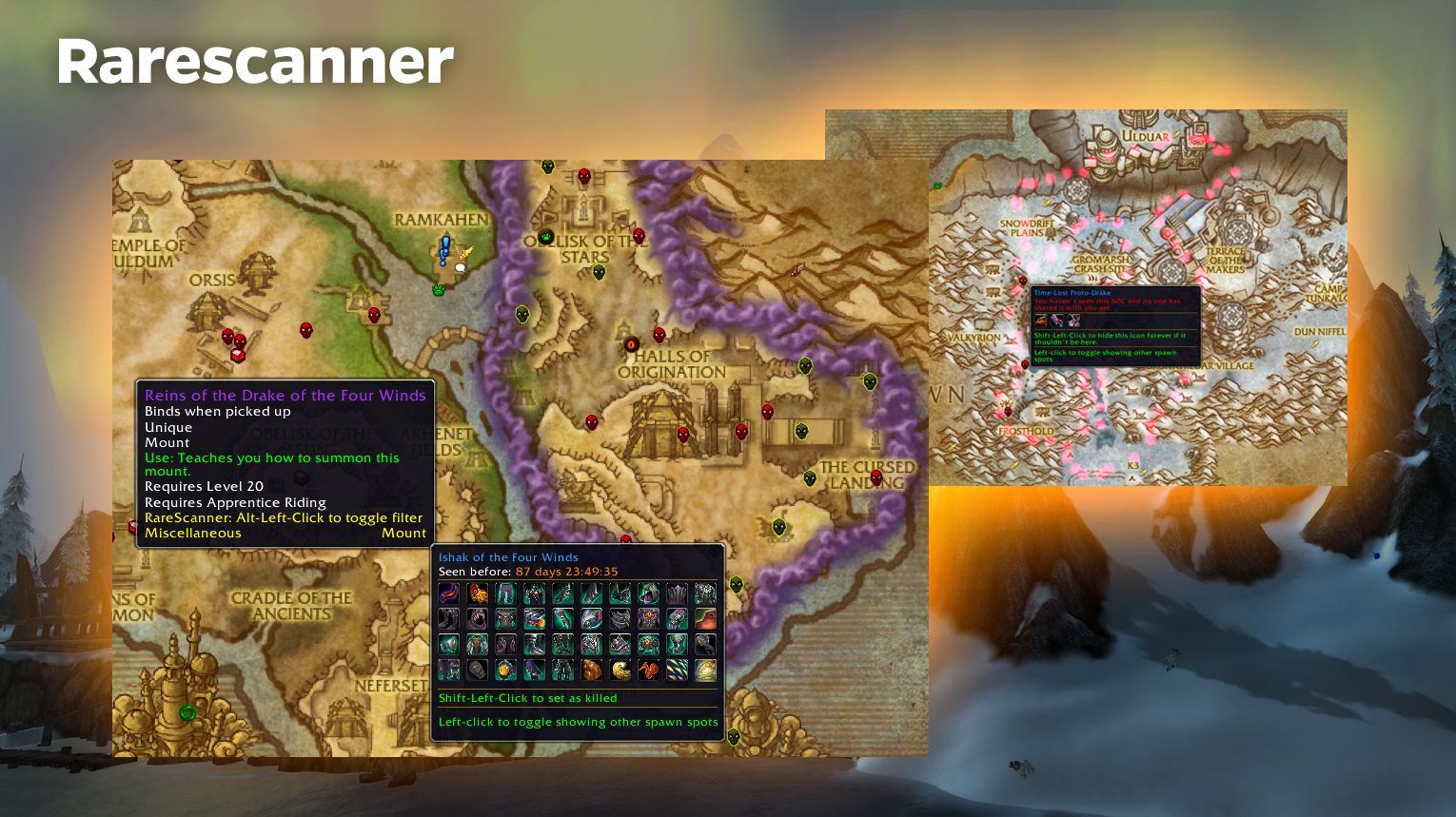
RareScanner is a World of Warcraft addon designed to help players track rare NPCs, treasures, and events. It provides real-time alerts and detailed map integration, making it easier to find valuable loot and engage with world content.
- Alerts:
- Displays a notification button when a rare NPC, treasure, or event is nearby.
- Shows details like the entity’s name, loot, and a miniature (for NPCs).
- Map Integration:
- Marks rare NPCs, treasures, and events on the World Map with icons.
- Hover over icons for additional information in tooltips.
- Highlights entities that grant faction reputation when a faction is selected in Dragonflight zones.
- Loot and NPC Explorer: Easily find rare NPCs or treasures that drop specific mounts, pets, or other valuable items.
- Custom NPC Tracking: Add any NPC, rare or not, for custom alerts.
- Filtering Options: You can configure the addon to track only specific entities or categories.
Questie
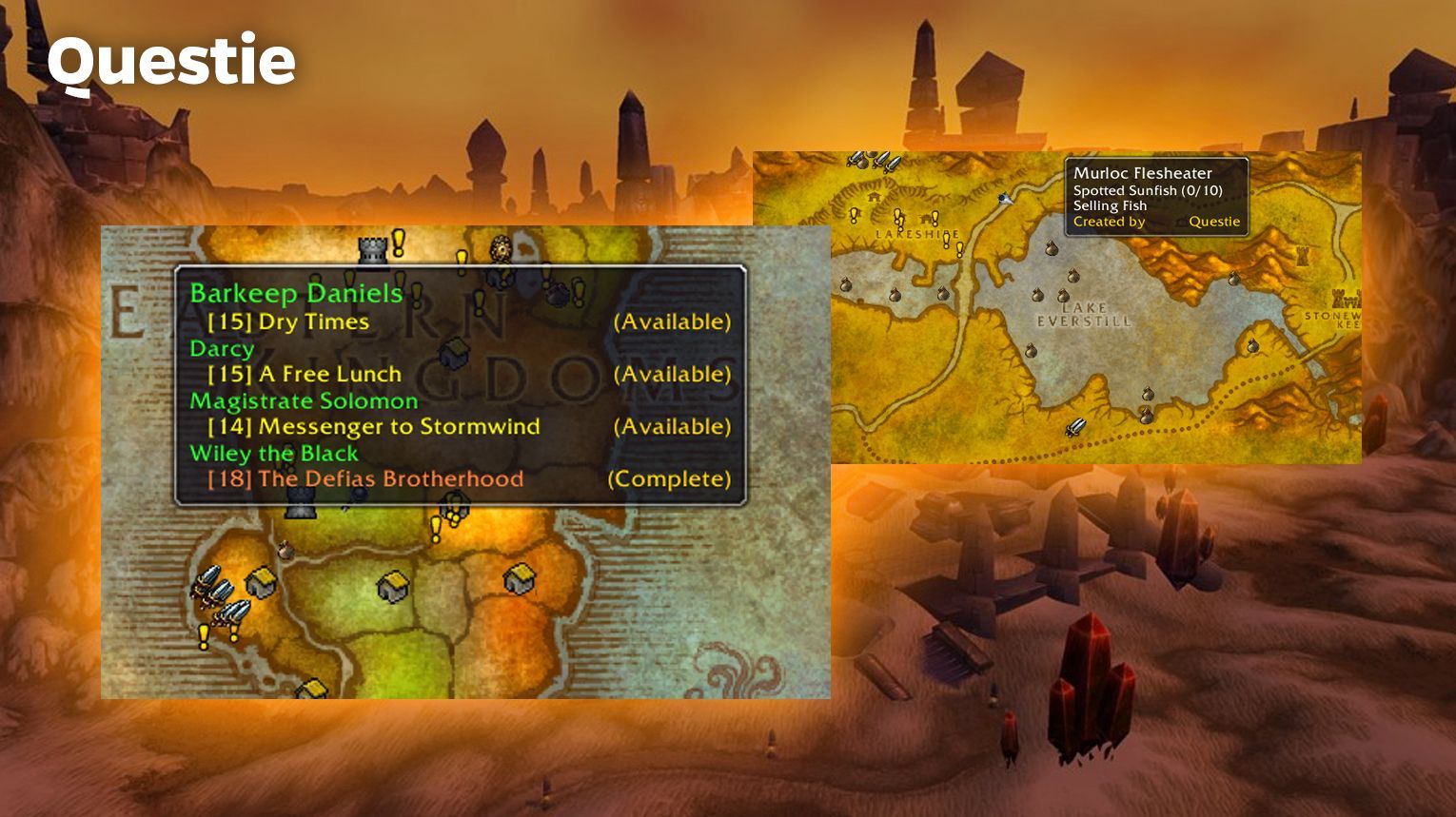
Questie is a must-have addon for World of Warcraft, especially for players in Classic and Cataclysm Classic versions. It enhances the questing experience by adding extra information to your map and interface: it allows you to find and complete WoW quests faster.
- Map Integration:
- Displays quest start points, objectives, and turn-in locations on your map.
- Includes notes for quest givers and objectives.
- Improved Quest Tracker:
- Automatically tracks quests when accepted.
- Expands the tracker to show up to 20 quests instead of the default 5.
- Offers additional options like focusing on quests or pointing arrows to objectives (requires TomTom addon).
- Tooltips:
- Shows detailed quest information when hovering over map icons or NPCs.
- Displays extra data, such as quest XP, when holding Shift.
- Quest Communication: Displays party members’ quest progress in tooltips (requires all party members to use Questie).
- Journey Log: Records your progress through the “My Journey” feature, showing completed and available quests by zone.
Details! Damage Meter
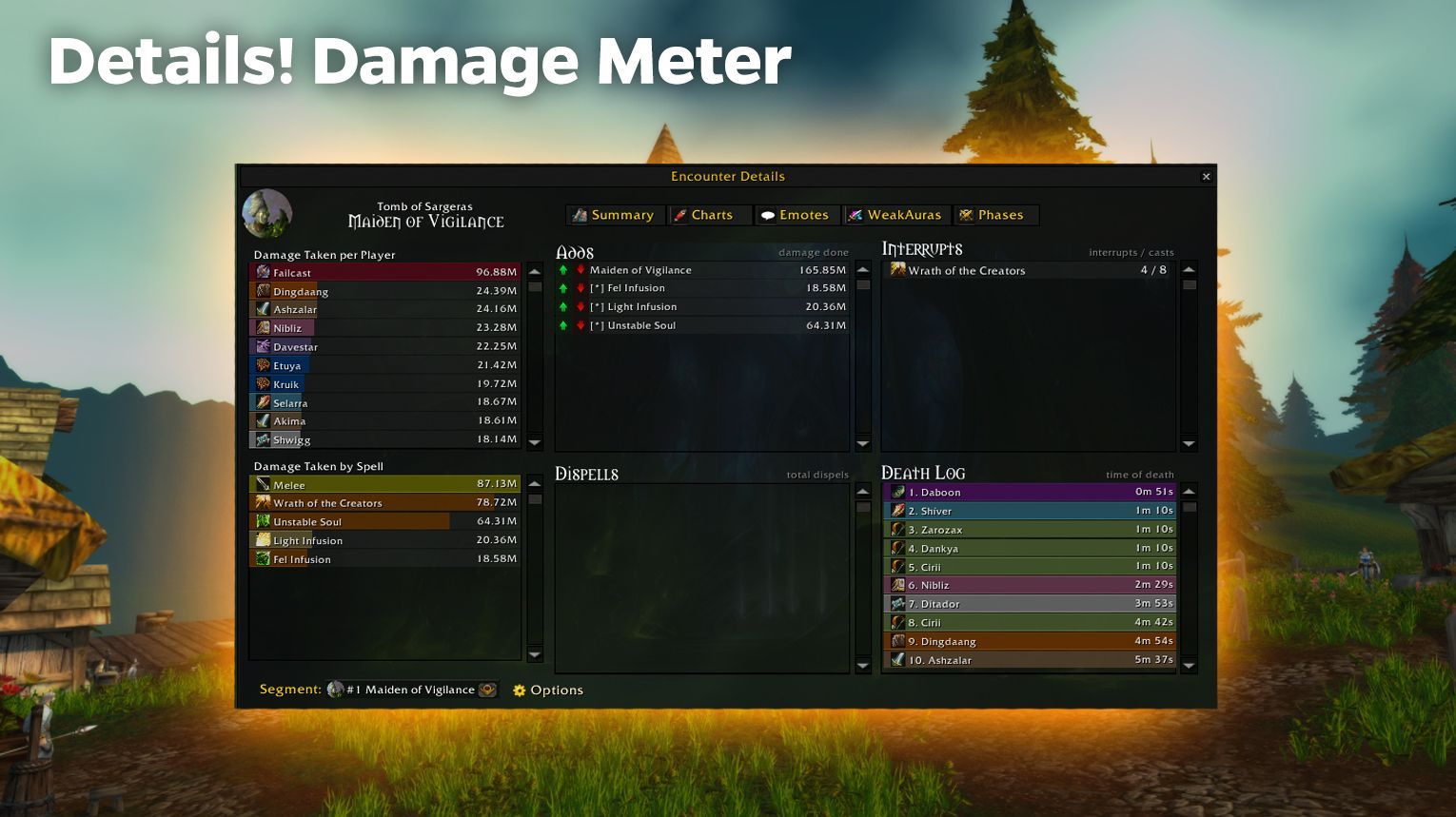
Details! Damage Meter is a highly customizable and reliable combat analysis addon for World of Warcraft Classic. It tracks damage, healing, and other metrics in real-time, offering must-have insights for players during PvE and PvP encounters.
- Accurate Data Tracking:
- Consistently reads combat logs to provide precise damage, healing, and other performance metrics.
- Ensures compatibility with ranking sites like WarcraftLogs.
- Custom Displays:
- Build personalized displays using the Details! API.
- Access a variety of pre-built views for specific needs.
- Raid Tools:
- Includes helpful tools for raiders, such as guild rankings, death logs, and cooldown tracking.
- Tracks raid member talents and item levels.
- Plugins:
- Encounter Details: Summarizes current boss fights.
- Chart Viewer: Creates visual graphs for damage and healing.
- Advanced Death Logs: Provides detailed death analysis.
- Time Line: Tracks debuff and cooldown usage over time.
- Low Resource Usage:
- Optimized to minimize CPU impact, even during intense fights.
Auctionator
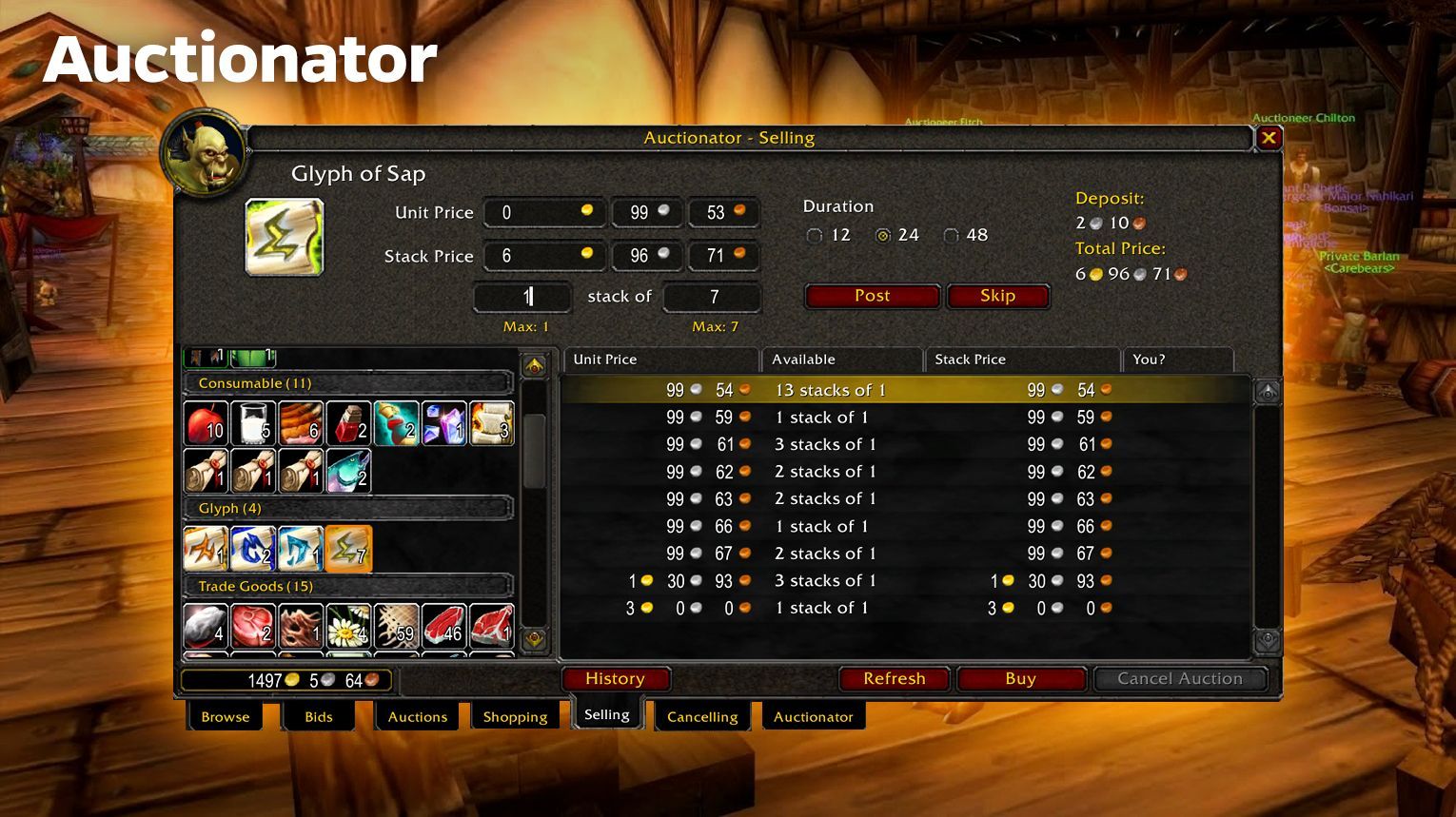
Auctionator is a user-friendly World of Warcraft addon (you can use it in WoW Classic also) designed to simplify interactions with the Auction House. It’s ideal for casual players who want to buy, sell, and manage items efficiently.
- Buying Features:
- Create shopping lists for easy searches.
- Filter results by price, level, or item stats.
- View price histories for items directly from search results.
- Selling Features:
- Automatic undercutting to ensure competitive prices.
- Customizable auction duration (12, 24, or 48 hours).
- Integrated bag view for faster item selection and posting.
- Full Scans:
- Perform full Auction House scans to update item prices in tooltips.
- Autoscan feature is available for Retail.
- Reagent Searches:
- Search for crafting reagents directly from crafting windows.
- Shows estimated costs and potential profits for recipes.
- Canceling Auctions:
- One-click cancellation for undercut auctions.
- Undercut scanning identifies auctions priced lower than yours.
- Additional Tools:
- Customizable search result columns.
- Integrations for collection searches (e.g., pets, mounts, toys) with additional modules like Collectionator.
- Sales tracking is available through Journalator.
WoW Classic Addons in WoW Forever
WoW Forever runs as its own client with its own addon folder. Classic addons do not load there on their own. The author has to publish a Forever build first. We checked CurseForge and the authors’ release notes in mid November 2026. The table lists only what we could confirm.
| Addon | What it does | Works in Forever |
| Questie | Shows quest givers, objectives, and turn-ins on the map | Yes. The main release supports Forever (v12.9.0, November 14). |
| GatherMate2 | Marks herb, ore, and fishing nodes on the map | Yes. Forever support came in 1.52.4, and Forever nodes in 1.52.7. |
| Auctionator | Helps you buy, sell, and track prices at the Auction House | Yes. CurseForge has a Forever file (November 14). |
| Details! | Damage and healing meter | Yes. CurseForge has a Forever file (November 9). |
| Bagnon | Puts all your bags in one window | Yes. CurseForge has a Forever file (November 14). |
| Leatrix Plus | Comfort options from the author of Leatrix Maps | Needs the Forever version. Download the file that ends in -forever. |
| RareScanner | Alerts you to rare NPCs and treasures | Needs the Forever version. Download RareScanner_FOREVER. |
| Classic Cast Bars | Custom cast bars | No. The author says Forever is not supported for now. |
We could not confirm Leatrix Maps, RestedXP, and Rune Reminder for Forever, so they are not in the table. Rune Reminder is built for Season of Discovery runes, which Forever does not use.
Where to install them. The easiest way is the CurseForge app. Pick WoW Forever as the game and take files marked Forever. You can also unpack them by hand into the Interface\AddOns folder of your Forever install. Do not use the Classic folder. Type /reload after you add an addon. Our WoW Addons guide covers the basic steps.
Addon files change often in the first weeks, so check the version on the download page before you install. Still leveling? Read our WoW Forever leveling guide. If you want to skip the grind, look at our WoW Forever boost services.
Conclusion
Summing up, by using the above-mentioned WoW Classic add-ons, you can optimize your performance, simplify grindy tasks, and explore Classic Azeroth in a much more enjoyable way. Installing and updating them is simple, and their benefits are immediate, whether you’re a casual player or a dedicated raider. Explore the best addons mentioned in this guide, and make your WoW Classic journey more engaging and rewarding.













Comments: